
Car maintenance tracker
Car maintenance tracker and service reminders
Oil change, tire rotation, inspection, insurance: tie each one to a distance or a date and Odometer tells you when it's due. Your service history is always with you.
Stop keeping the calendar in your head.
When is the next oil change? Which month is the inspection? When does the insurance renew? Dates like these are hard to keep track of, and expensive to miss.
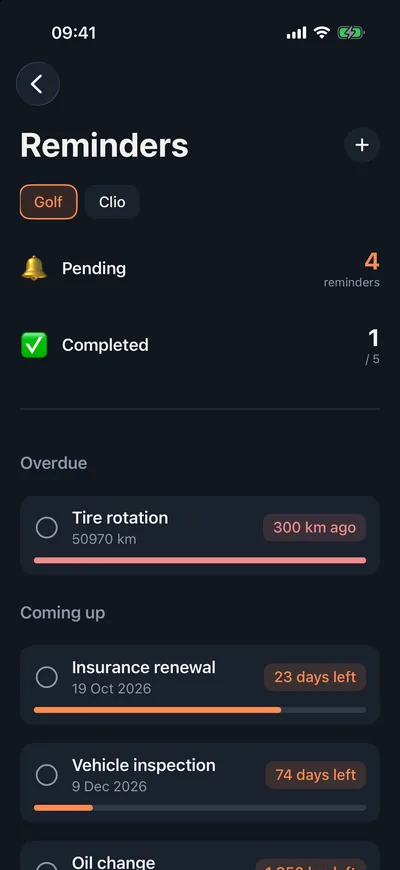
In Odometer you log every service and cost, and add upcoming ones as reminders. Reminders are sorted by urgency, with overdue, upcoming and done shown separately.
How do I set it up?
- 01
Add a reminder
Name the service and tie it to a distance or a date.
- 02
Wait for the notification
You get a notification when it's coming up; tapping it opens the reminder, highlighted.
- 03
Mark it done
Once the work is done, mark it complete and add the cost to your log.
What's in maintenance tracking?
Distance or date
Services tied to mileage, like oil, or to a date, like insurance.
Urgency badge
Overdue, coming up, done: a bar shows how much is left.
Notifications
No need to check a calendar; your phone tells you when it's time.
Service history
Every service with its date, odometer reading and cost, tied to your car.
Per-car lists
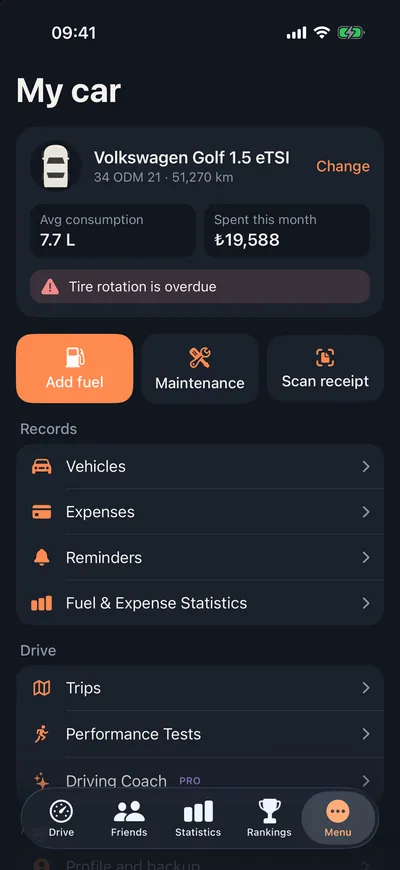
Got more than one car? Each one has its own reminders.
PDF service reportPro
Export your service and cost history as a PDF to show a buyer or a mechanic.
Frequently asked questions
What can I set reminders for?
Anything you like: oil and filter changes, tire rotation or seasonal swaps, brakes, timing belt, inspection, registration, insurance. Each reminder can be tied to a distance or a date.
How do distance-based reminders work?
Your car's current reading is updated from the values you enter with fuel and service records. As it gets close to the reminder's distance, you see how much is left and get a notification.
What's in the PDF service report?
Your car's service and expense history in a single document, ready to show a buyer when you sell or a mechanic at the shop. The PDF service report is a Pro feature.
Are reminders a paid feature?
No. Service and expense records and reminders are free.
Let Odometer remember the next service.
Setting up your first reminder takes a minute.