
Driving heat map
Driving heat map and 3D drive replay
Every drive adds a line to the map. As your drives build up, the roads you use most heat up, and you can replay any drive in 3D right on its route.
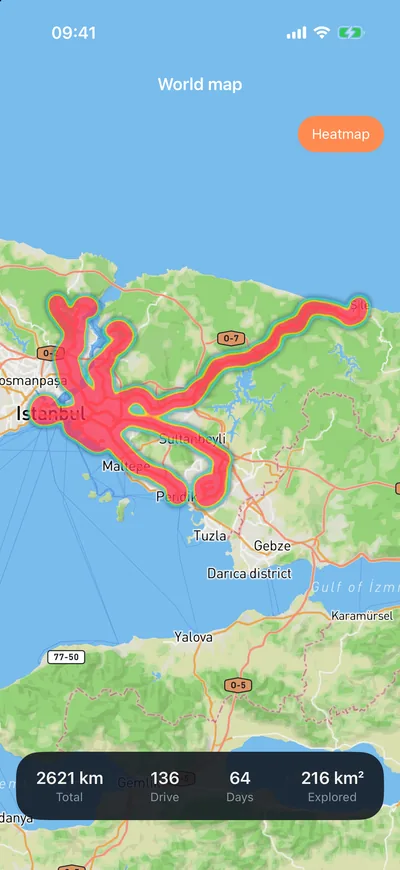
A map of everywhere you've driven.
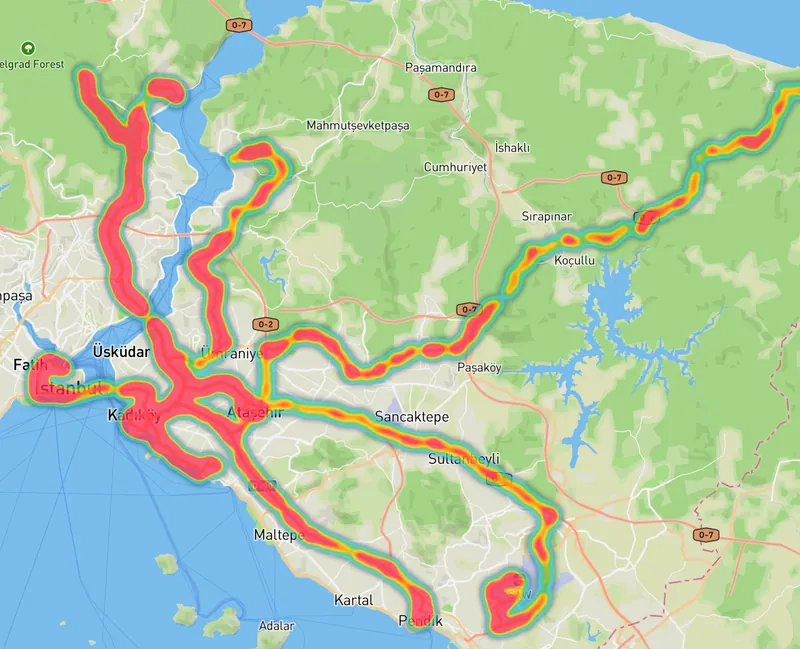
Your drive list shows one trip at a time; the heat map shows the big picture. Your commute, weekend routes, the town you visited once and forgot: all on the same map, coloured by how often you go.
The world map screen shows your total distance, number of drives, days on the road and the area you've explored. 3D replay brings a single drive back to life with a moving camera.
How do I open it?
- 01
Keep driving
Every recorded drive is saved with its route; there's nothing extra to do.
- 02
Open the world map
Your routes are on the map; the Heat map layer brings out the roads you drive most.
- 03
Replay a drive
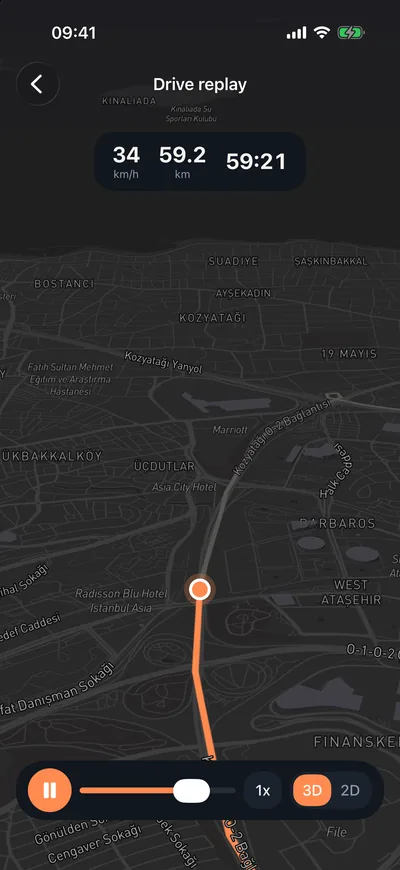
Start a 3D replay from a drive's details, change the playback speed, switch between 2D and 3D.
What's on the map?
All your routes
The route of every drive you've recorded, on a world map.
Heat layerPro
Roads go from blue to red the more often you drive them.
Satellite and streets
Switch between map styles.
Exploration stats
Total distance, number of drives, days driven and area explored.
3D drive replayPro
Plays back on the route, coloured by speed, at the speed you choose.
Share as videoPro
Save the replay as a video and share it in your story or a chat.
Frequently asked questions
Is the heat map free?
Your routes show on the world map for free. The heat layer that colours the roads you drive most, and 3D drive replay, come with Odometer Pro.
How many drives does the heat map need?
Your route is on the map from the first drive. The heat layer gets more meaningful as you drive the same roads again and again; after a few weeks your everyday routes stand out.
Can other people see my routes?
No, your heat map is visible only to you. If you turn on drive sharing, the friends you choose see your drive summaries, with the first and last 400 metres of each route hidden.
Can I share a drive replay?
Yes. Export the replay as a video and share it in any app. The route privacy zone applies to shared videos too.
Start filling your map.
Every drive is one more line. Draw the first one today.